Upload a bill of quantities and get a draft Excel. Every row points back to the page it came from, and names and prices are hidden before anything reaches the AI.
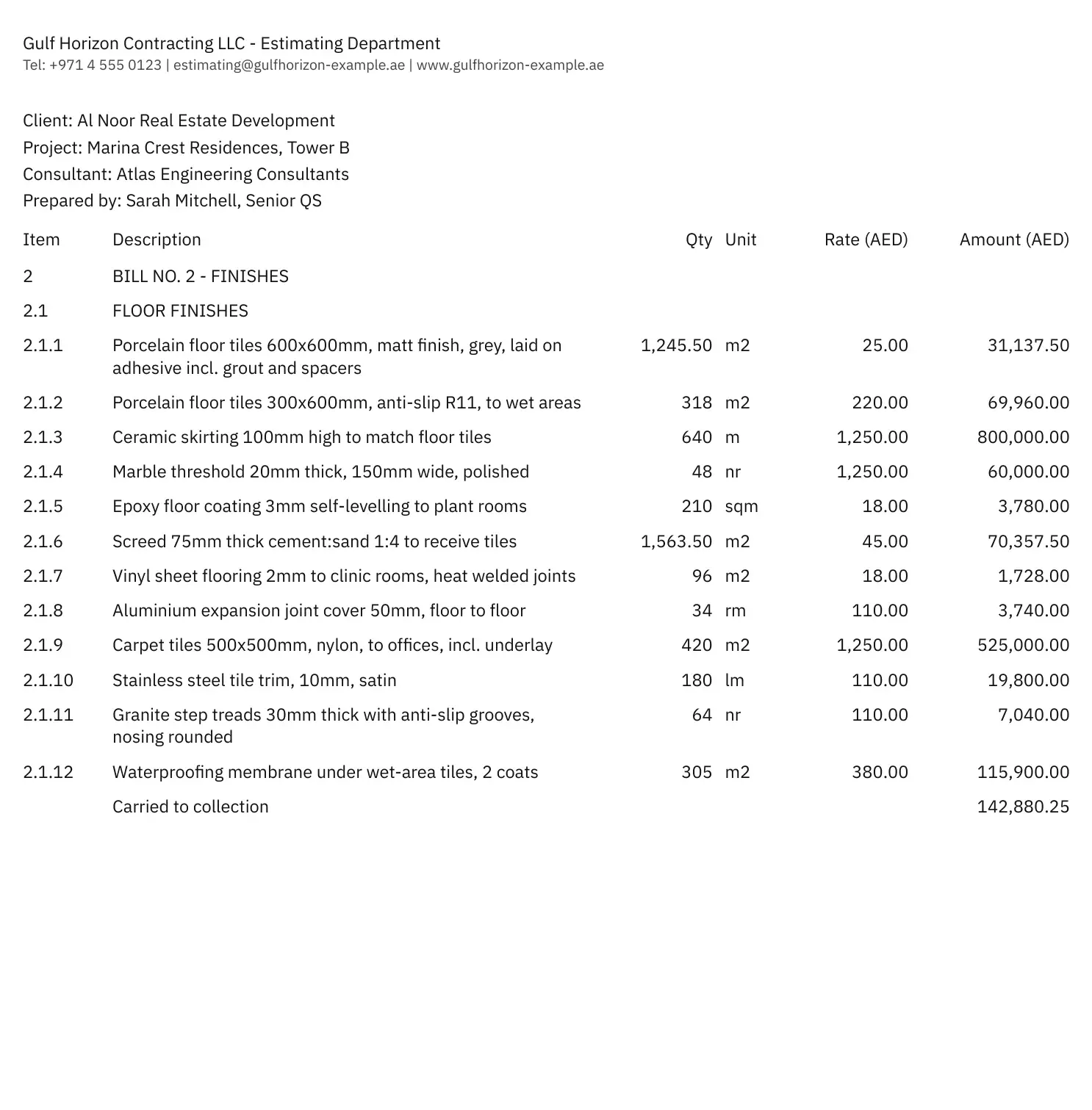
Click a row to see where it came fromTraced to page 1, line 10
How it works
Three steps, all on our server. You only look at the lines we flag.
First, upload the PDF you were sent.
Bill-2-Finishes.pdf- File checked
- Pages split
- Names and prices hidden
- Lines read
- Excel ready
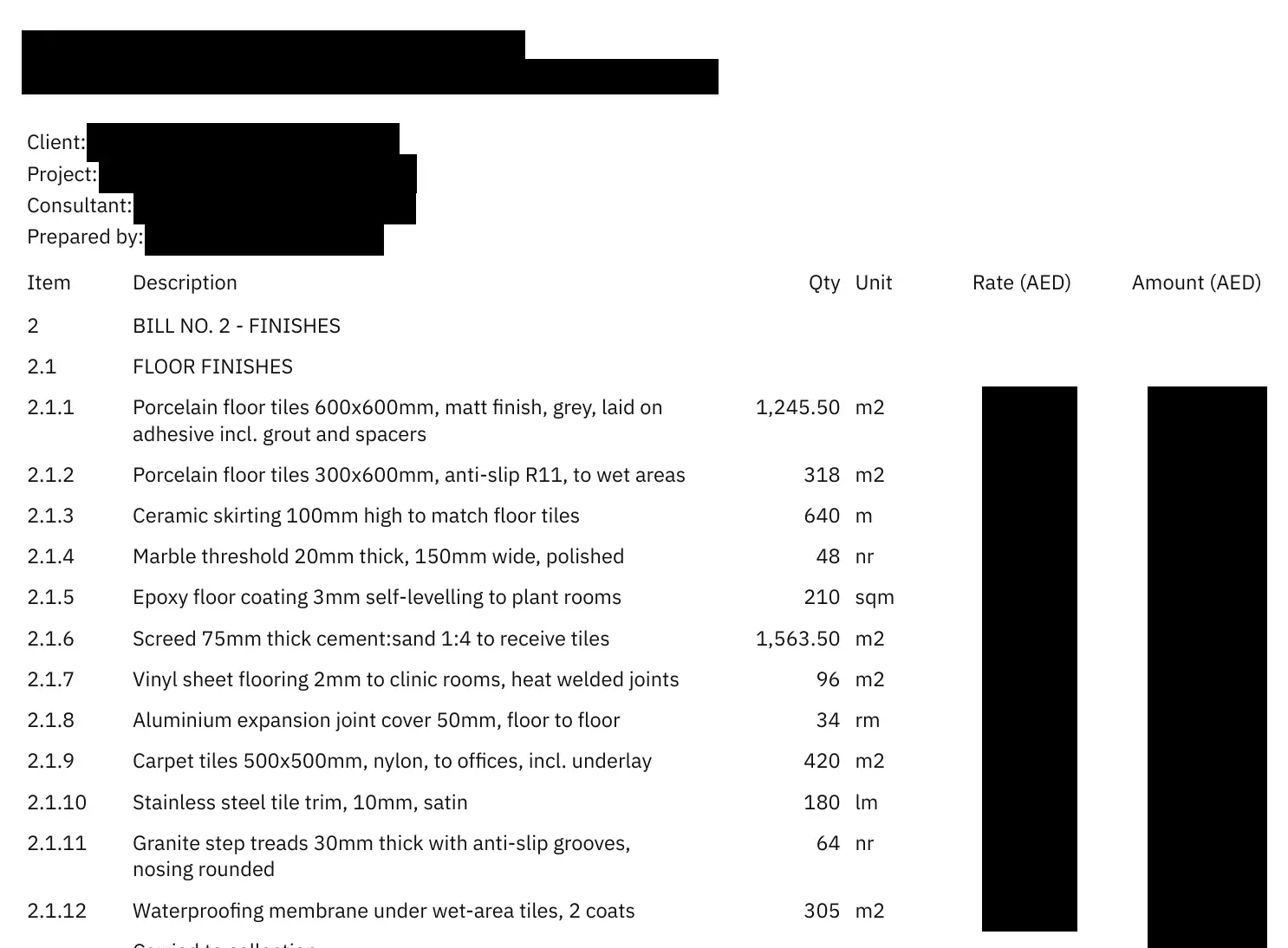
Then names and prices are hidden.
This is the picture the AI receives: client, contacts and every rate and amount are covered with solid boxes.
Finally, check the flagged lines and download.
Each row keeps its page and line reference. Your prices are put back from your own file.
satr-draft.xlsx — BOQ
Ref Item Description Qty Unit Rate Flag P1·L10 2.1.1 Porcelain floor tiles 600x600mm 1,245.50 m2 25.00 P1·L12 2.1.2 Porcelain floor tiles 300x600mm 318 m2 220.00 P1·L13 2.1.3 Ceramic skirting 100mm high 640 m 1,250.00 P2·L14 2.2.9 Wall cladding, HPL panels TBC m2 No quantity P2·L15 2.2.10 Bitumen paint below ground 460 mt Unit not recognised Four sheets: BOQ, Checks, Flags and Privacy.
What the AI sees
Before any page leaves our server, we cover what identifies your client and what tells a competitor your price. Switch them off to see the difference.
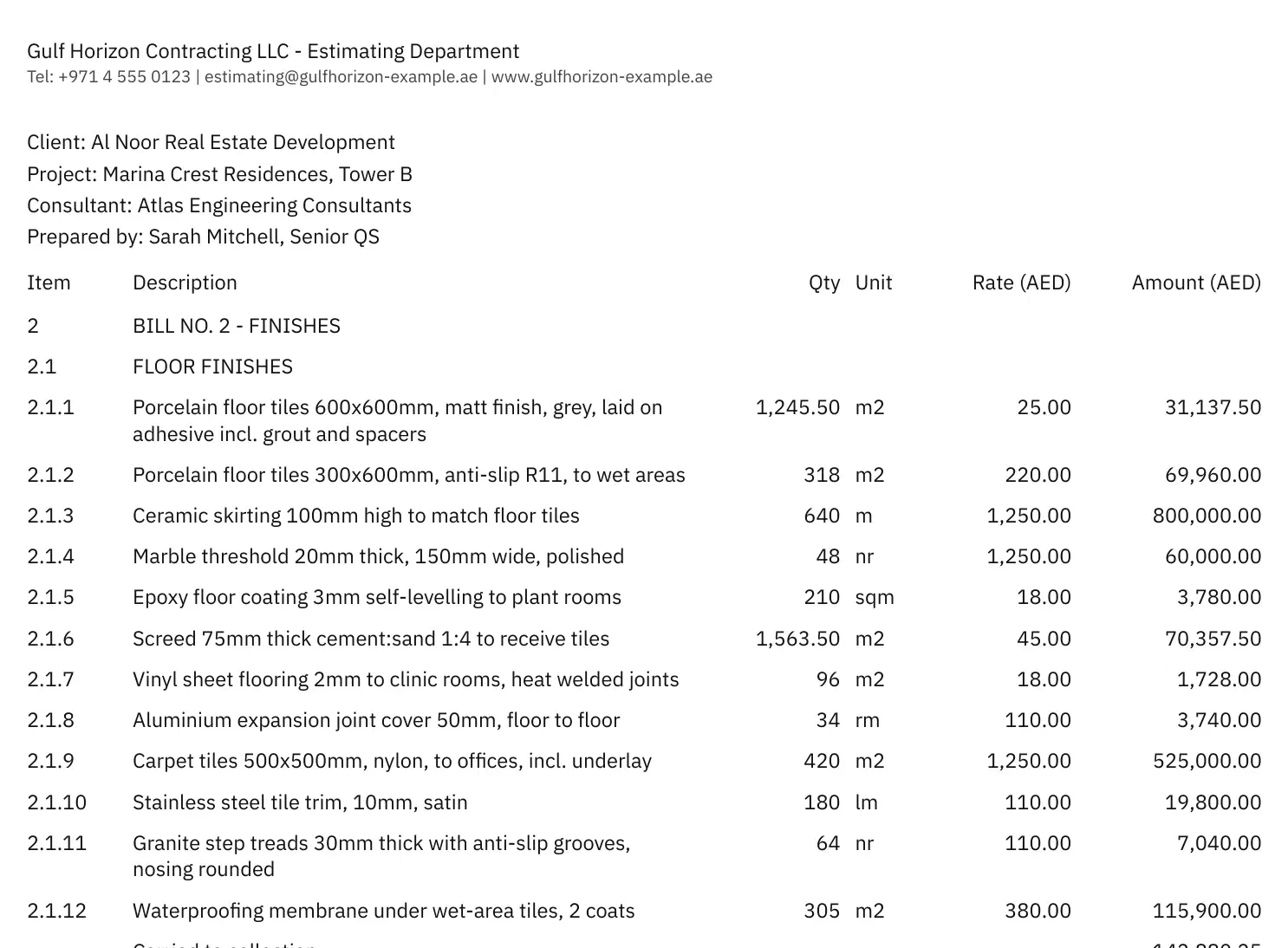
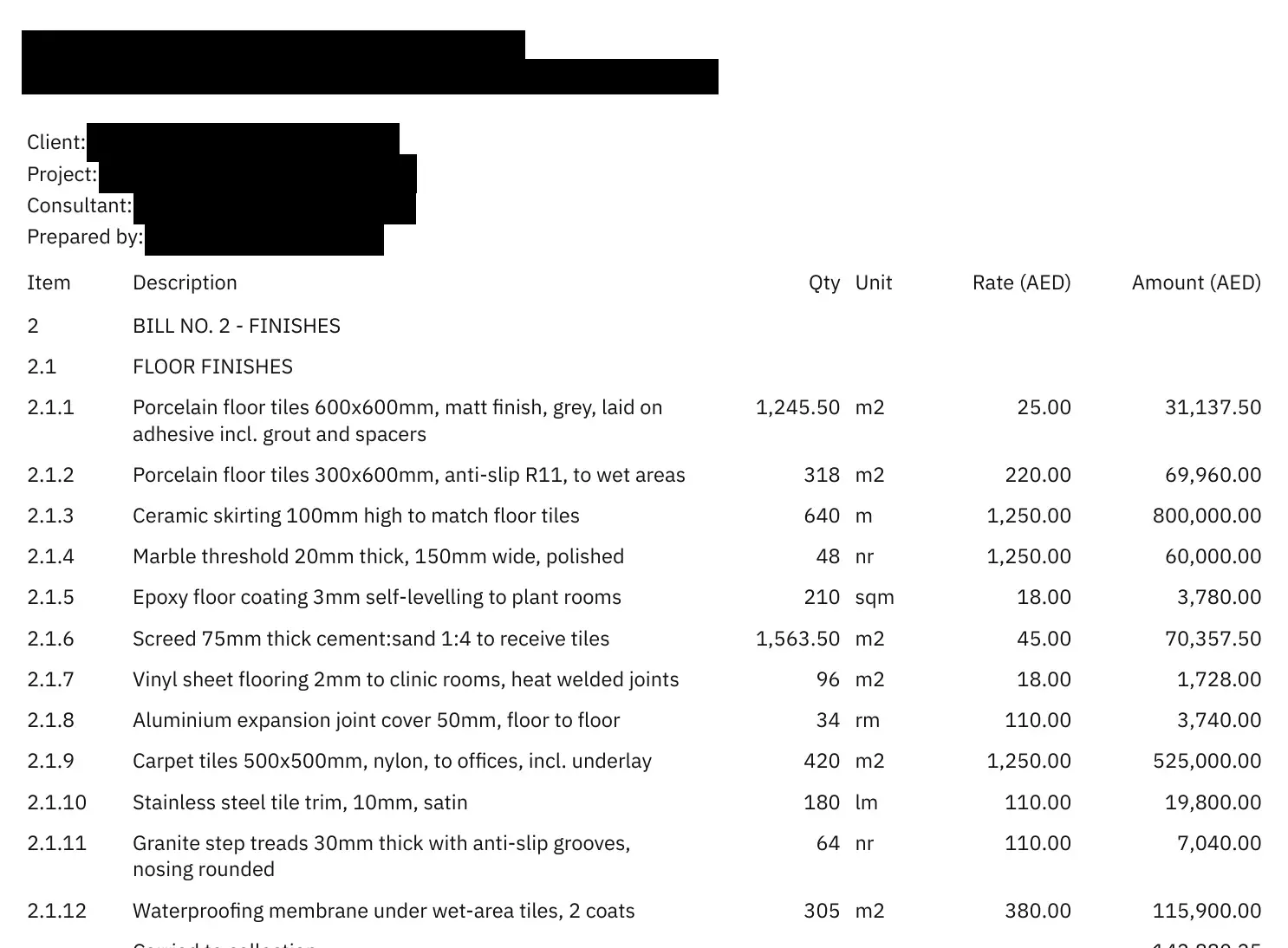
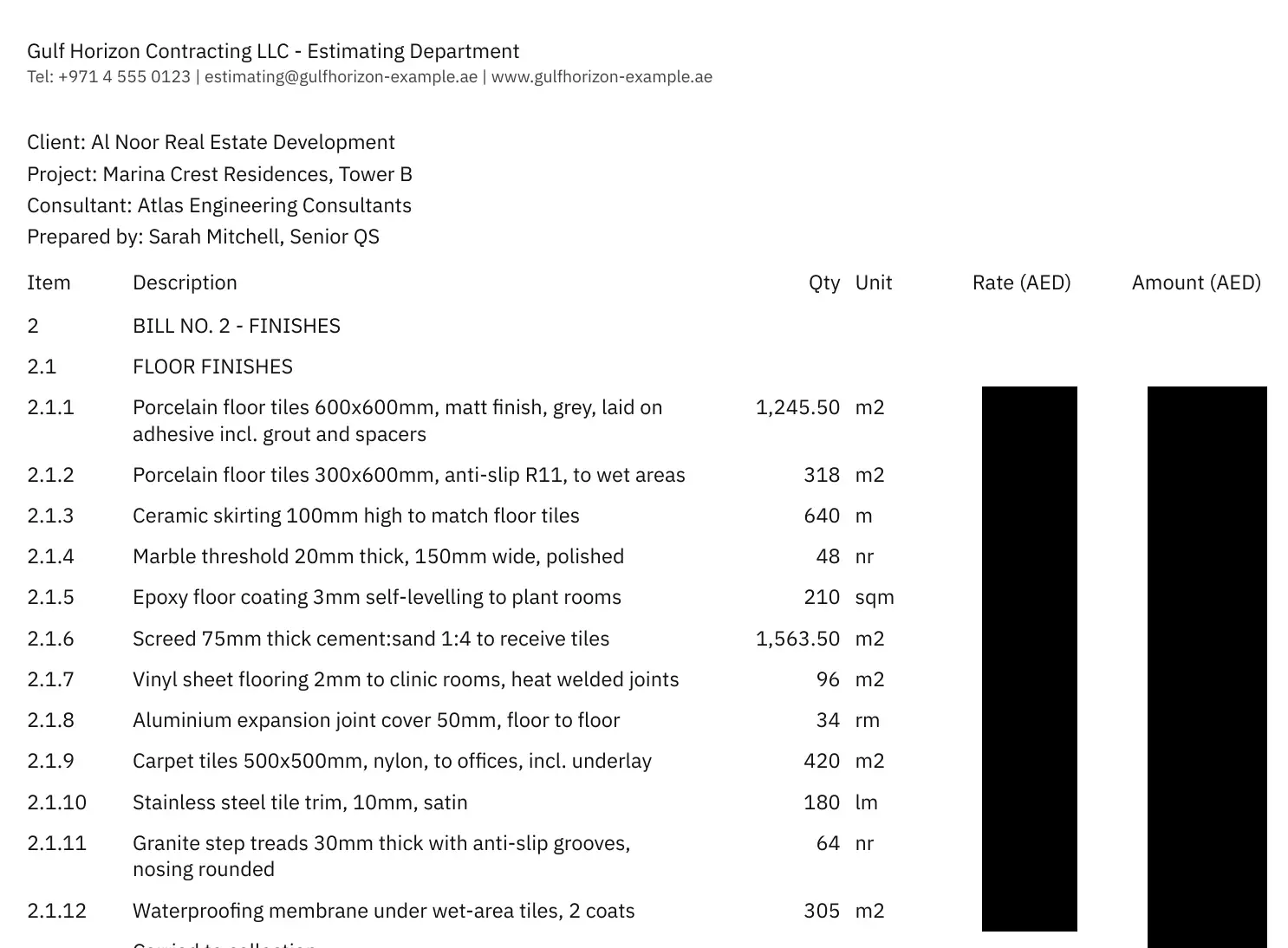
Client, project and consultant fields, people's names, emails, +971 and +966 numbers, letterheads and your own words to hide.
Price columns and totals are removed, kept on our server, and written back into your Excel by row.
Kept for reading: item numbers, descriptions, quantities and units.
Everything is deleted within 24 hours, or when you press Delete now.
Only the lines you need to check
Lines that read cleanly are left alone. Anything uncertain is marked amber or red in the Excel, with a question you can send to your client.
| Flag | Example | Colour |
|---|---|---|
| No quantity for an item | 2.2.9 · TBC | Red |
| Printed quantity and value disagree | 1,245.50 | Red |
| Unit not recognised | mt | Amber |
| Part of the text hidden for privacy | [hidden] | Amber |
| A row that looks like an item was not read | page 2 · line 17 | Amber |
| Possibly two items run together | merged row | Amber |
Questions
The page image with names, contacts and prices covered by solid boxes, and the page text with the same parts removed. Nothing else. The same redacted page goes to two models: one reads every line and a cheaper one only counts lines. The AI provider is OpenAI, called through its API.
Every page is read twice at the same time, by two different models, and also checked against the page text and the item numbering. Pages where they disagree are read again once and marked Check or Lines may be missing. It is a strong check, not a guarantee, so always look at the marked pages.
The original, page images, AI inputs and outputs are deleted within 24 hours, or straight away when you press Delete now. We keep only counts: pages, lines, timing and cost.
No. It is a draft. Check the flagged lines before you price or send anything.
Digital PDFs only, in English or Arabic. Free-week limits apply (shown before you upload). Scanned pages, Excel files and phone photos are the next step and are refused for now, so nothing is sent unredacted.
Bilingual digital PDFs go through the same steps. Arabic names are only hidden if they sit in a labelled field such as المالك, or if you add them to the words to hide.
Rate and amount columns are detected and removed before any call. If a document has no column headings, numbers to the right of the unit are withheld as well.
The page image with names, contacts and prices covered by solid boxes, and the page text with the same parts removed. Nothing else. The same redacted page goes to two models: one reads every line and a cheaper one only counts lines. The AI provider is OpenAI, called through its API.
Start your free week
Enter your email and we will send a sign-in link. Your week starts when you confirm it, and lasts 168 hours. It cannot be restarted by using another browser or a new workspace.
Free early access for 7 days. SahlQuote is still in development. Paid plans are in the making. No card required.
No account yet? Try the sample
The sample is a fixed, invented BOQ read by a simple rule-based parser, not by AI. It shows every screen without using the free week.
Download the sample PDF (invented data) to try an upload yourself